

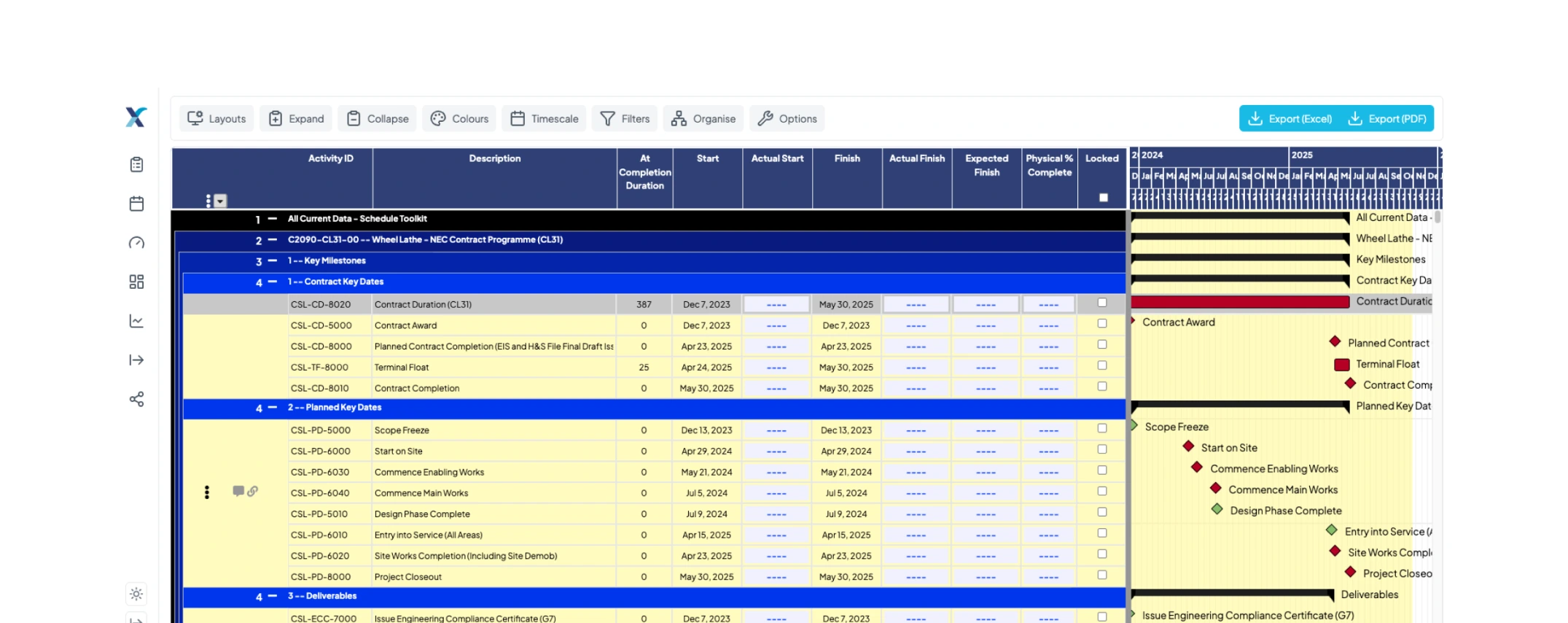
Progress Reporting | Progress Updates
Streamline your progress reporting with a structured, auditable system designed for Primavera P6 and Microsoft Project. XER Schedule Toolkit replaces fragmented spreadsheets and emails with a centralised platform for accurate progress updates, real-time tracking, and reliable reporting.

The Progress Update Process
Collecting and managing project progress updates shouldn’t be time-consuming or error-prone. Traditional methods such as emails, spreadsheets, and manual data entry create delays, inconsistencies, and risk. XER Schedule Toolkit transforms your progress reporting process by giving every stakeholder a clear, structured way to submit, review, and approve updates. Ensuring your schedules stay accurate, transparent, and defensible.
1
XER Schedule Toolkit’s Filtered Schedule Viewer enables planners to create customised schedule views tailored for each project team. By filtering schedules to display only relevant tasks and timelines, this tool streamlines the update process.
2
Each team will receive a customised schedule with specific deadlines for submitting updates. Adhering to these deadlines will ensure that all teams maintain close progress monitoring and stay aligned with the overall project timeline.
3
Each team will receive a customised schedule with specific deadlines for submitting updates. Adhering to these deadlines will ensure that all teams maintain close progress monitoring and stay aligned with the overall project timeline.
4
The updated schedule is returned to the planner, who receives the updates directly made by the teams on their tailored schedule. The project manager then reviews and approves the updates before the planner incorporates them.

Key Features of the Progress Updates tool
Streamlined Change Management
Submit and manage schedule update requests seamlessly, reducing manual errors and ensuring consistency across all project schedules.
Enhanced
Approval Process
A robust approval workflow ensures that all schedule changes are reviewed and authorised by key stakeholders, maintaining control and accountability.
Synchronised Schedule Updates
Changes are reported directly on the share schedule, meaning no more guessing from adhoc excel charts and unclear emails.
Version Control and Auditing
Each update is recorded, allowing for detailed comparison and tracking of changes over time. This is essential for maintaining an auditable trail and supporting cost control and risk management.
Comprehensive Reporting
Generate detailed reports on all schedule changes, including who made the changes, what was changed, and when, providing valuable insights for delay analysis, cost analysis, and claim analysis.
Improved
Collaboration
Centralised request and update features enhance collaboration among project teams, ensuring everyone is aligned with the latest schedule updates.
P6 SyncSheet (Enterprise only)
With P6 SyncSheet, you can now send progress updates collected in XER Schedule Toolkit—such as Actual Start, Actual Finish, and progress percentage—directly into your Primavera P6 schedules.
Frequently Asked questions
Here you’ll find answers to the most common questions about XER Schedule Toolkit
View our Pricing Packages
Transform the way you manage projects with XER Schedule Toolkit. Ensure your projects stay on track, within budget, and in compliance with all requirements. Contact us today to learn more about how our toolkit can benefit your projects and to schedule a demo or trial.
Upgrade your project management and experience the difference with XER Schedule Toolkit – your partner in efficient, effective, and compliant aerospace and defense project planning.