

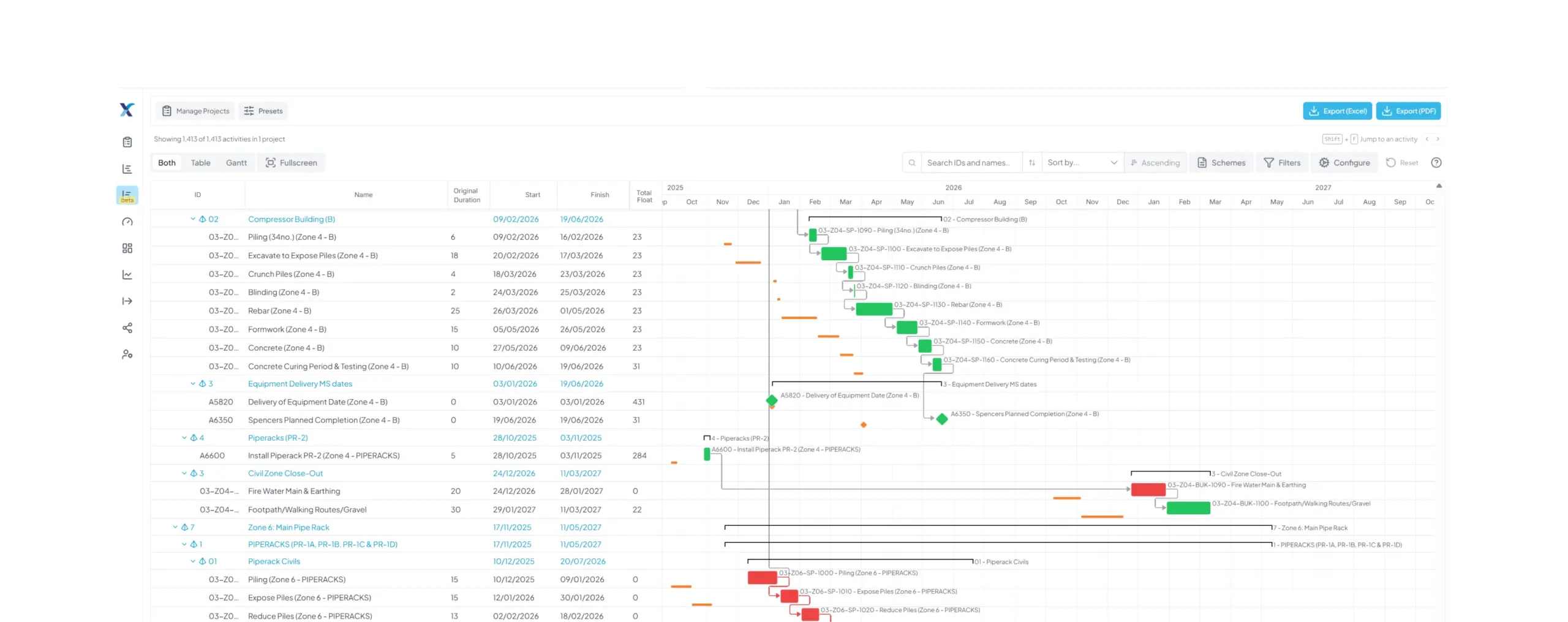
Powerful Schedule Insight, Made Accessible to Everyone
A faster, more flexible way to view, interrogate and analyse even the most complex project schedules.

Powerful Schedule Analysis, All in One Place
Built around the way planners actually work, the XER Schedule Viewer combines the activity table and Gantt chart in one highly configurable workspace. From major programmes containing tens of thousands of activities to detailed relationship analysis, filtering, annotation and AI-powered insights, it gives planners the tools to understand complex schedules and focus quickly on what matters.

Built for Major Programmes
Work confidently with complex schedules containing tens of thousands of activities, including multiple projects open at once.

Flexible Schedule Viewer
Work with the activity table and Gantt chart together, with greater control over the layout and how your programme is displayed.

Relationship Analysis
Explore predecessors and successors in table or card view, including Total Float, with relationships visible alongside the Gantt.

Activity Notes
Add dated observations directly against activities, keeping schedule review findings with the programme rather than in separate documents or emails.

AI-Powered Insights
Use AI-powered activity summaries and baseline comparisons to help simplify and understand schedule information.

Filtering & Highlighting
Filter, highlight and focus on the activities that matter while retaining the wider programme context when you need it.

Configurable Workspace
Adapt your working environment with configurable layouts, draggable panels, fullscreen mode and flexible viewing options.

Accessible Viewing
Use accessibility options including colour-blindness settings for the Gantt to make schedule information clearer and easier to interpret.
Enhance Project Scheduling with Customisable Column Layouts
Tailored Data Display
Customise the view to show only the most relevant columns, reducing clutter and focusing on key information.
Enhanced Clarity
Simplifies complex schedules by presenting essential data clearly, making it easier to interpret and manage.
Improved Productivity
Saves time by allowing users to quickly access and analyse specific data points without navigating through irrelevant information.
Personalised User Experience
Allows individual users to create custom column layouts that match their specific role or project needs, improving workflow efficiency.
Facilitates Better Decision-Making
By focusing on critical data, project managers can make informed decisions faster and with greater confidence.
Easier Collaboration
Simplifies communication among team members by ensuring everyone views consistent, relevant information tailored to their needs.
Adaptability
Quickly adjust views based on different phases of the project or varying reporting requirements, enhancing flexibility.
Streamlined Reporting
Provides a straightforward way to generate reports with only the necessary information, making them more concise and actionable.
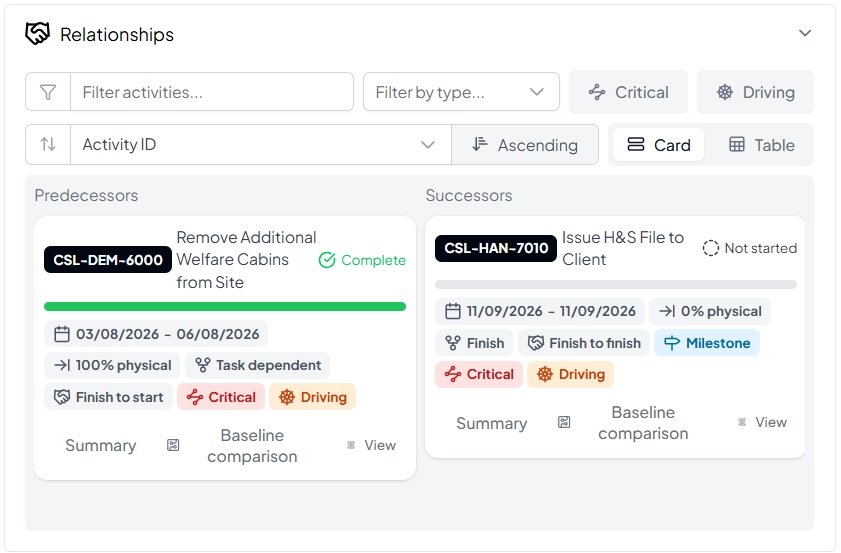
Understand the Relationships Behind Your Programme
Go beyond simply viewing activities and explore the relationships that drive your schedule. XER gives planners greater visibility of predecessors and successors in either table or card format, including Total Float and flexible sorting options.
Work with relationship information alongside the Gantt to understand dependencies, investigate programme logic and see more clearly how individual activities influence the wider schedule.
Optimise Your Project Scheduling with Customisable Timescale Views in XER Schedule Toolkit
Take control of your project timelines with XER Schedule Toolkit’s customisable timescale views, designed to give planners and schedulers greater clarity and flexibility when managing complex programmes. With the ability to adjust your view to daily, weekly, monthly, or yearly intervals, you can enhance project planning by easily switching between short-term tasks and long-term goals.
Tailored timescales provide improved timeline visualisation, helping you clearly identify overlapping activities, dependencies, and critical paths. This focused view also supports better resource management, allowing for more effective allocation and utilisation while preventing potential bottlenecks.
The increased flexibility to zoom in on detailed daily schedules or pan out for a broader project overview ensures that your display always suits the phase and scale of your work. Custom timescales further enable enhanced reporting and communication, highlighting key periods of activity for clearer stakeholder updates. By reducing visual clutter and allowing faster, more informed decision-making, XER Schedule Toolkit helps you maintain focus on what truly matters—driving your projects forward efficiently and effectively.
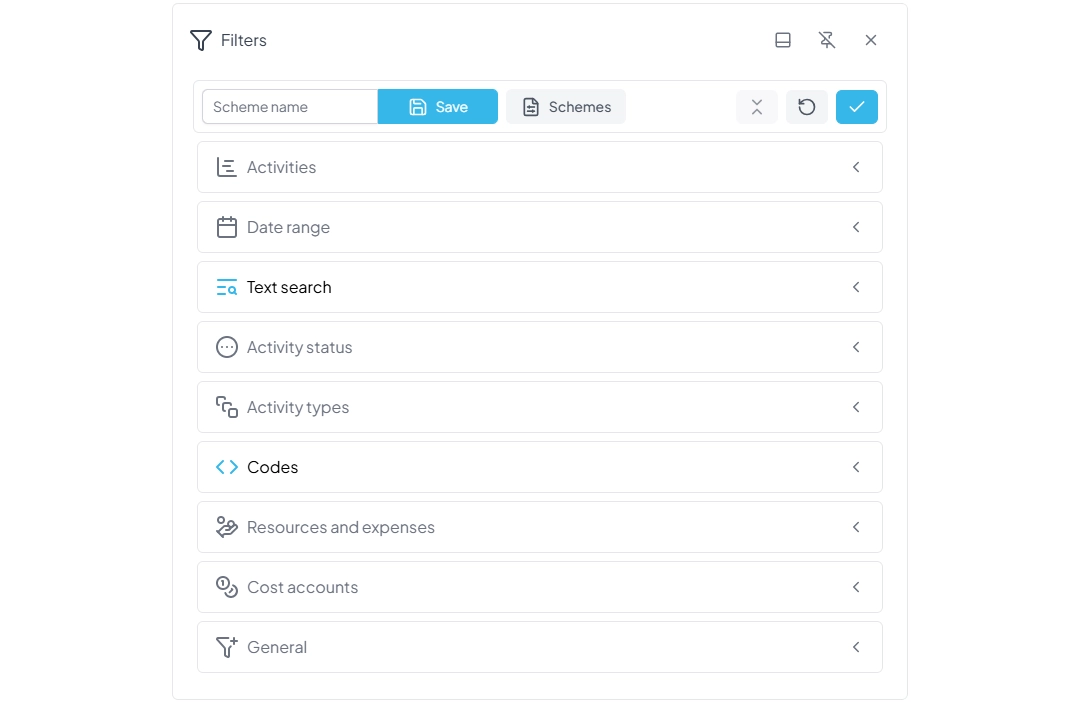
Focus on What Matters with Powerful Filtering and Highlighting
Complex programmes contain a huge amount of information. XER gives planners flexible filtering and highlighting tools to quickly focus on the activities, periods and information that matter.
Use the Curtain to focus on a specific date window, manually highlight individual activities, or highlight filtered results while keeping the wider programme visible for context. Search and filtering tools make it easier to interrogate schedule information without losing sight of the bigger picture.
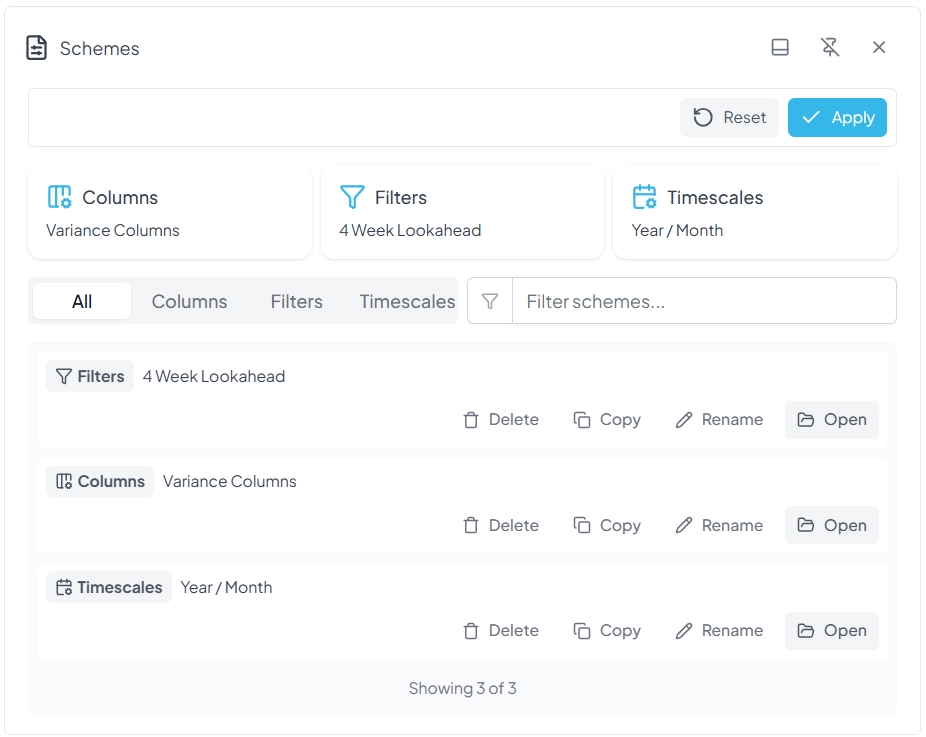
Save frequently used combinations of filters, columns and timescales as schemes, or use preset views including Critical Path, Look Ahead, Look Back and Live vs Baseline to return quickly to the information you need.
Frequently Asked questions
Here you’ll find answers to the most common questions about XER Schedule Toolkit
View our Pricing Packages
Transform the way you manage projects with XER Schedule Toolkit. Ensure your projects stay on track, within budget, and in compliance with all requirements. Contact us today to learn more about how our toolkit can benefit your projects and to schedule a demo or trial.
Upgrade your project management and experience the difference with XER Schedule Toolkit – your partner in efficient, effective, and compliant aerospace and defense project planning.