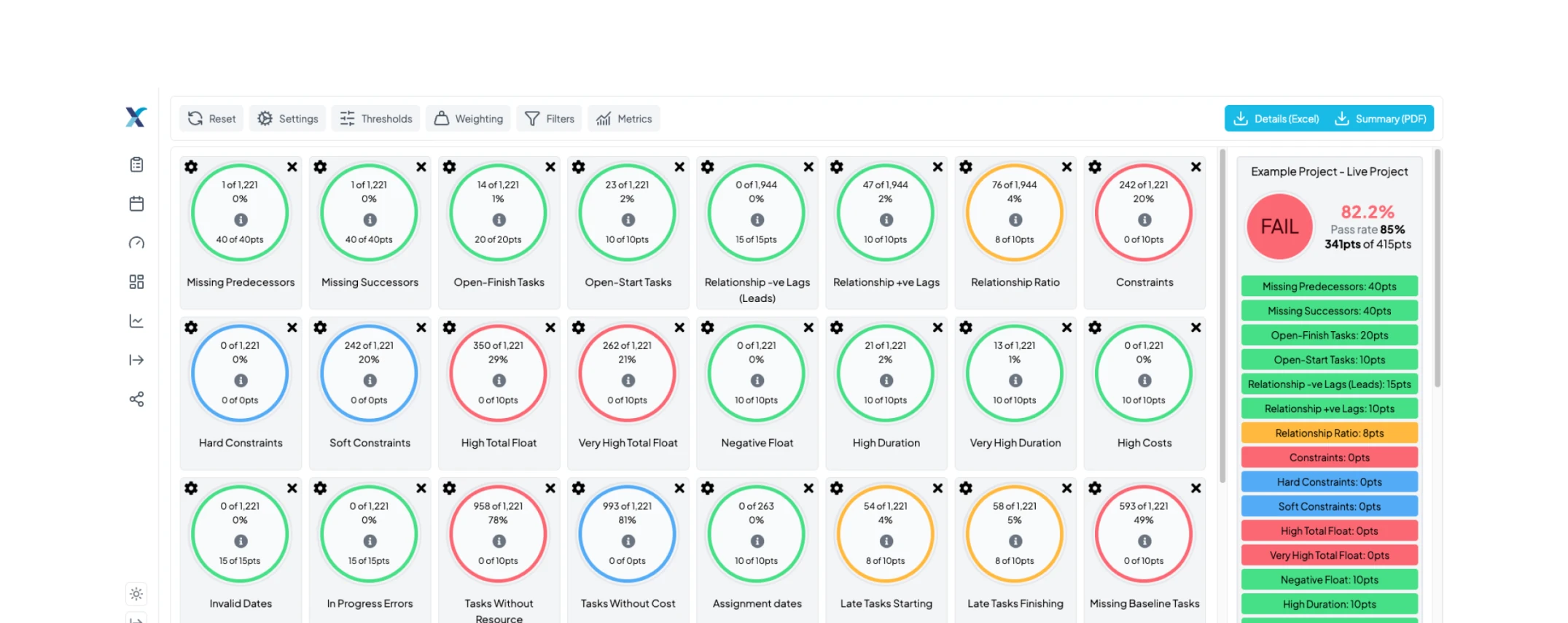
Schedule quality tool to comprehensively analyse your project schedules
The integrity checking tool is essential to a successful project schedule. With over 40 quality checks to ensure robust and reliable schedules, this tool provides detailed analysis that helps you identify and resolve potential issues before they escalate.
Why choose us?
XER Schedule Toolkit is an all-in-one, third party toolkit that allows planners, schedulers and the wider project team to view, analyse and share Primavera P6 and Microsoft Project files.
Our software contains automation tools that help to enhance the planning process and ultimately drive improvements in the successful delivery of projects to time and budget.
Our cloud based solution provides planners & schedulers with a range of tools that allows them to automate day to day tasks, saving time and money whilst giving the full project team intelligent access to the schedule in a format they can understand and derive value from.

The benefits of XER Schedule Toolkit
XER Schedule Toolkit is an all-in-one, third party toolkit that allows planners, schedulers and the wider project team to view, analyse and share Primavera P6 and Microsoft Project files.

Import XER & MPP files

Manage Progress Updates Remotely

Schedule Quality Checks

Earned Value Analysis

Schedule Comparison Reports

Calendar Viewer
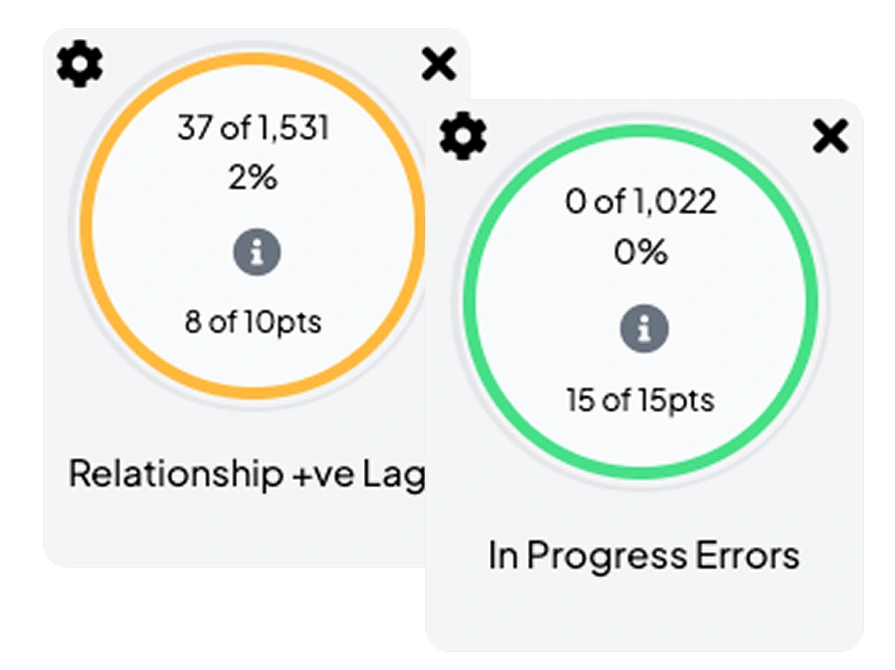
Master Schedule Integrity Checks
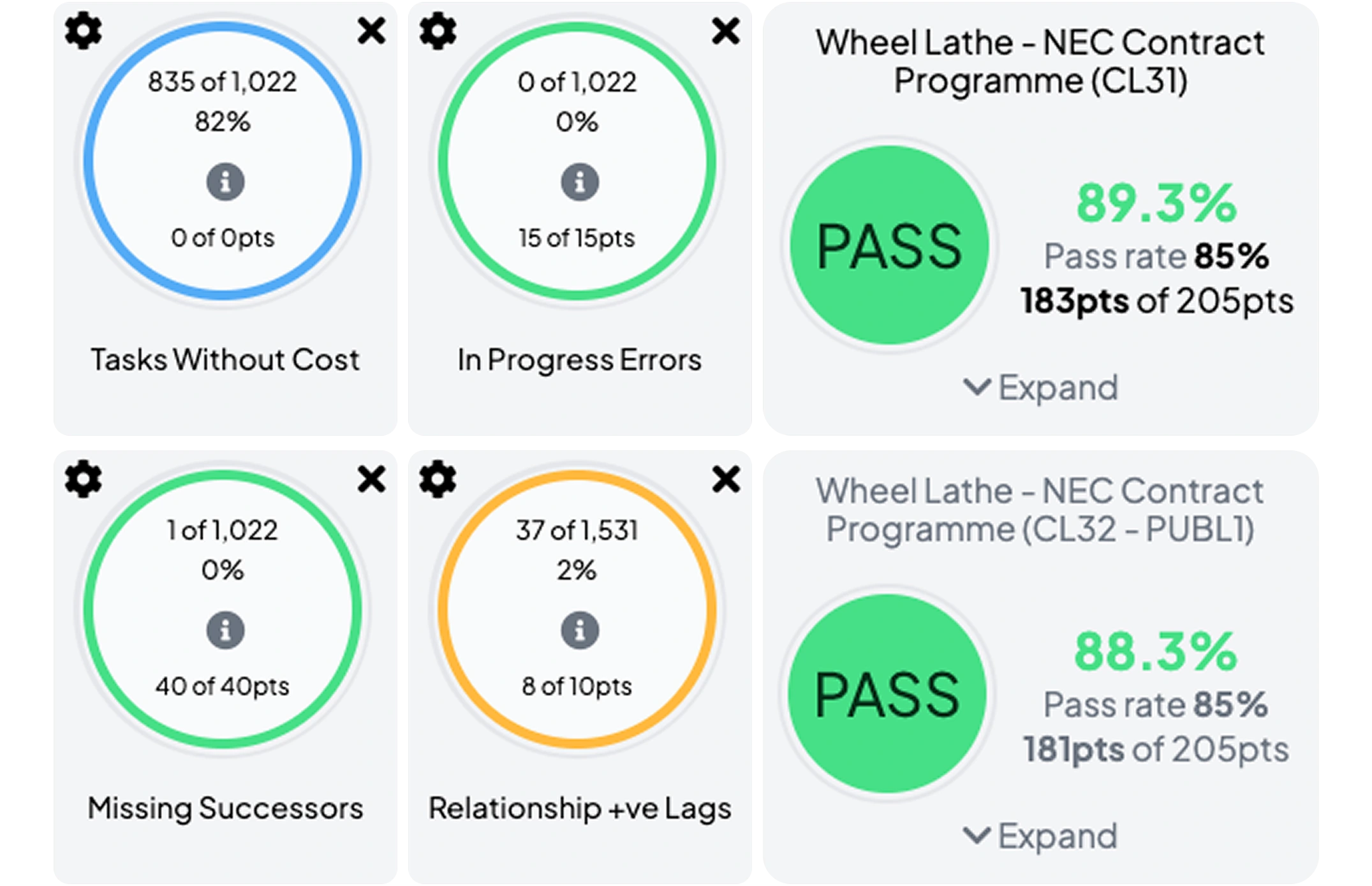
Click the “i” icon for detailed explanations on each check, showing what it identifies and how it affects your project schedule. Use the white circle next to each check to view a filtered program, quickly spotting issues detected by XER Schedule Toolkit.
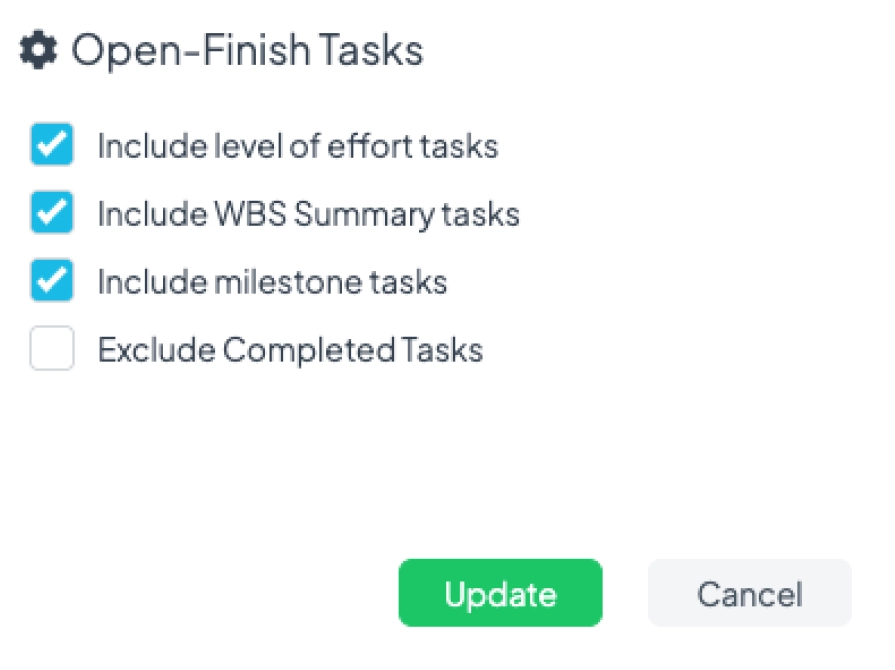
Optimised Project Planning
Understanding schedule integrity checks is key to maintaining reliable project schedules. XER Schedule Toolkit offers comprehensive checks, allowing you to fine-tune your project plan. Use the cog icon to customise parameters, ensuring all details align with your goals and timelines.
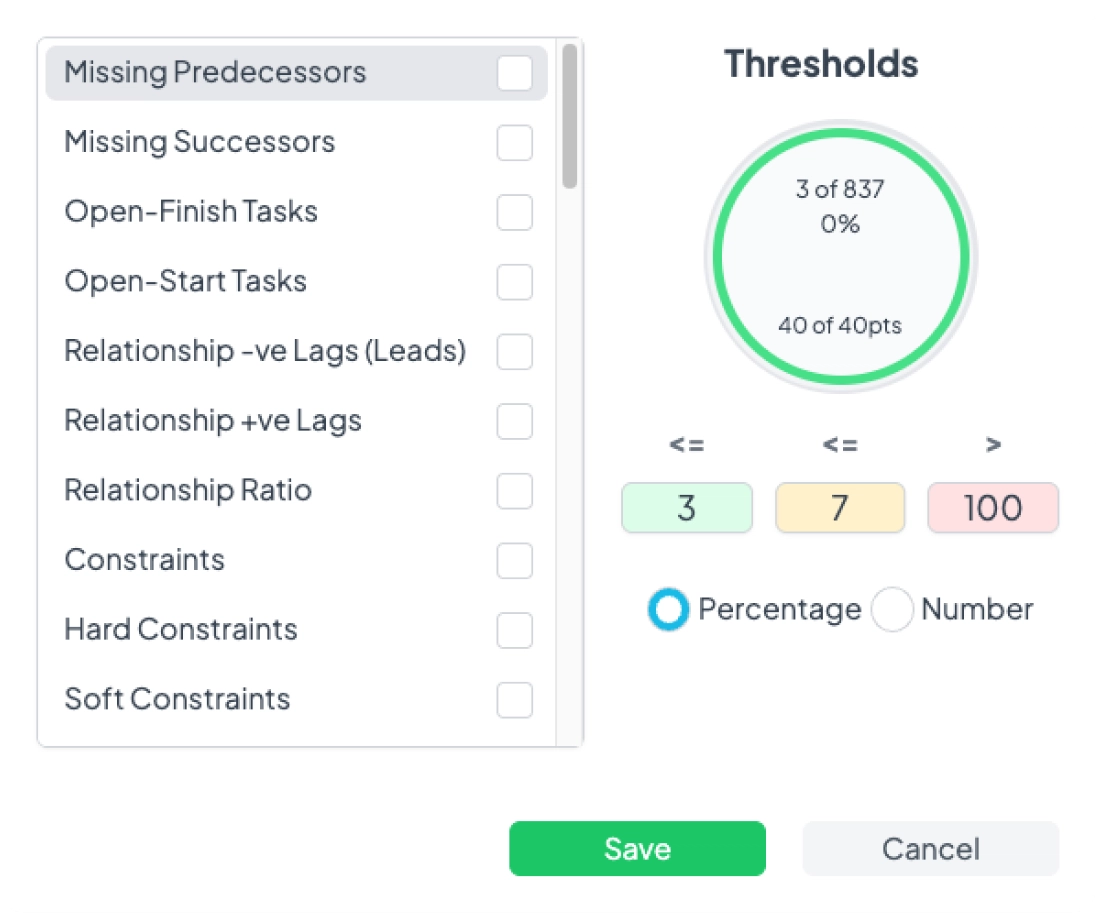
Complete Project Control
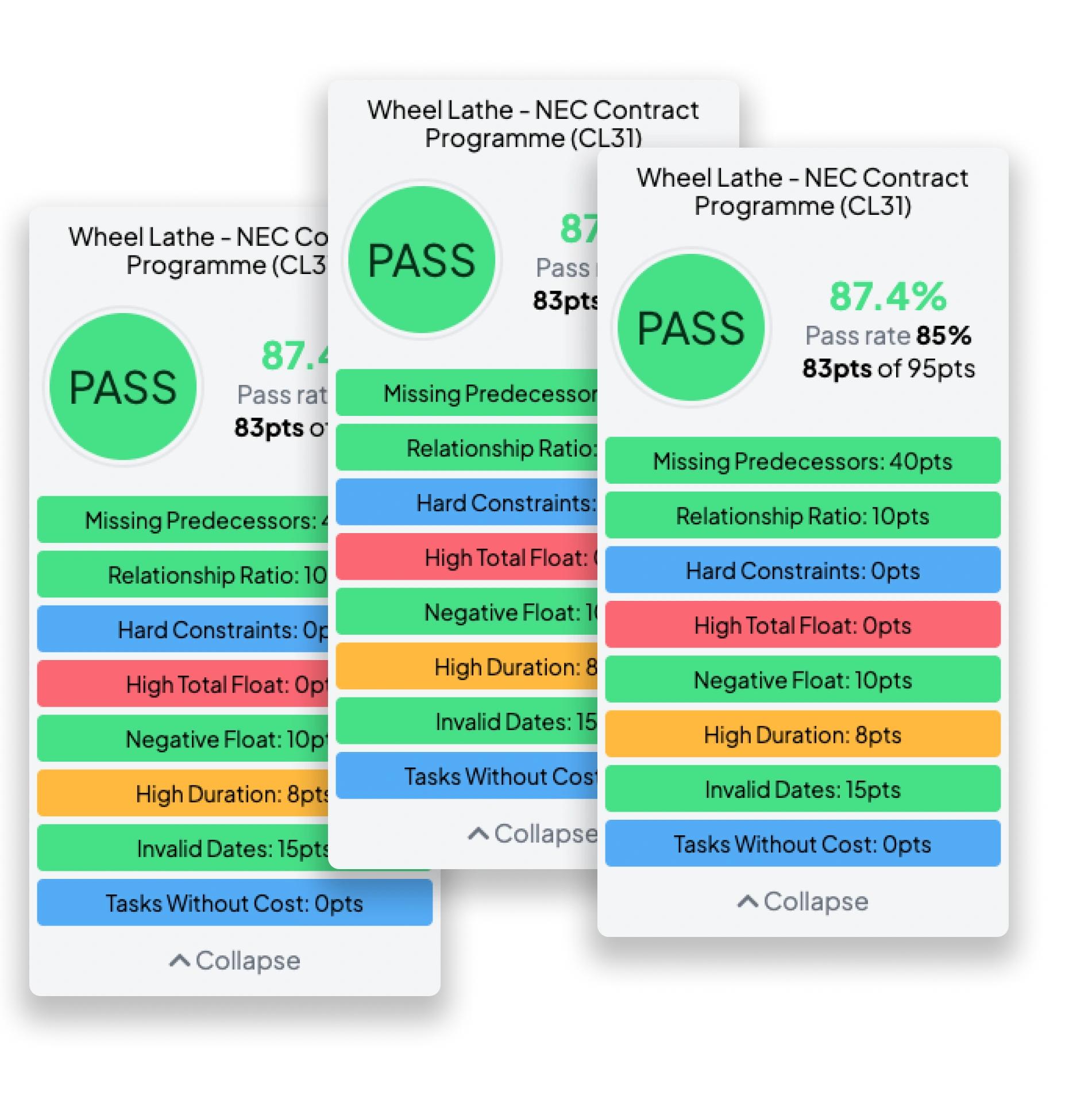
Improve project accuracy with XER Schedule Toolkit’s customisable integrity checks. Using a traffic light system, green for pass, orange for warning and red for fail. You can adjust thresholds to fit your project’s needs. For example, you can allow more long-duration tasks to pass if they aren’t a concern. Modify grading by task count or percentage for precise health assessments.
The toolkit offers an overall schedule score, customisable by adjusting the weight of each check. As the project progresses, you can fine-tune these thresholds, ensuring checks remain relevant at every stage. XER Schedule Toolkit’s flexibility ensures your project stays on track.
Elevate your Exported Reports
Certifying your project schedule’s quality is easy with XER Schedule Toolkit’s reporting features. Generate concise PDF summary reports that highlight key insights, offering clients a transparent overview of your schedule’s integrity and performance, ensuring confidence in your project management.
For more detailed analysis, XER Schedule Toolkit allows you to quickly produce comprehensive Excel reports. These reports include line-by-line commentary on any detected issues, helping you to maintain high project standards and communicate effectively with stakeholders about areas needing improvement.
Whether you’re demonstrating adherence to Quality Assurance (QA) standards or providing transparent documentation to clients, XER Schedule Toolkit’s customisable PDF and Excel reports give you full control over your project’s integrity, ensuring all details meet the highest quality standards.
Multi-Project Integrity Checks
Why check one schedule at a time? You can now run Integrity Checks across multiple projects simultaneously, giving you full portfolio visibility in seconds.
 Improved Audit Trails
- Individual Schedule Breakdowns
- Faster Navigation
- Stronger Portfolio Insights
 Improved Audit Trails